PlatformReports
See what your ad did.
Views, scans, website visits and leads for every campaign and every ad.

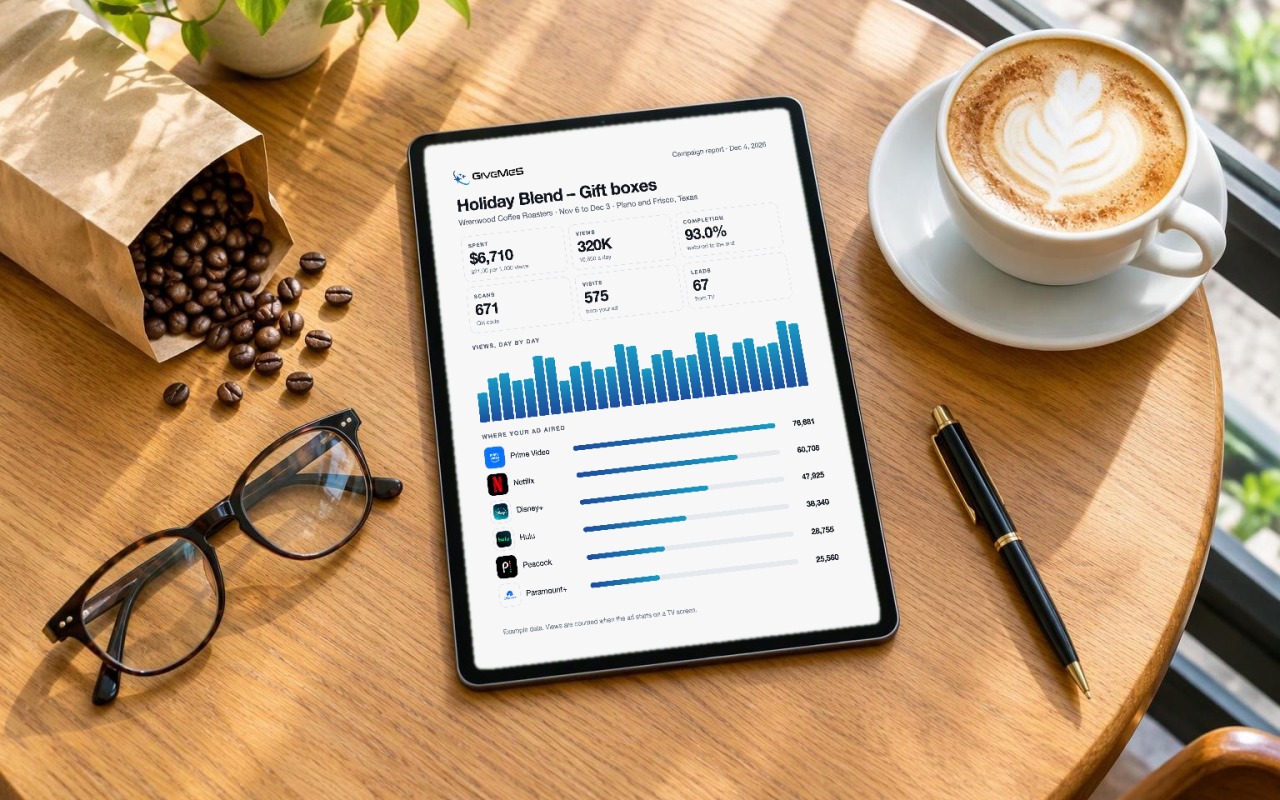
Six numbers
TV ad reports: each number says what it counts.
Spent
What you paid from your wallet.
Views
Times your ad was shown on a TV.
Completion
Views that played to the last second.
Scans
Opens of your ad's QR code or link.
Visits
Pages seen on your website after a scan.
Leads
Phone taps, email taps and forms sent.
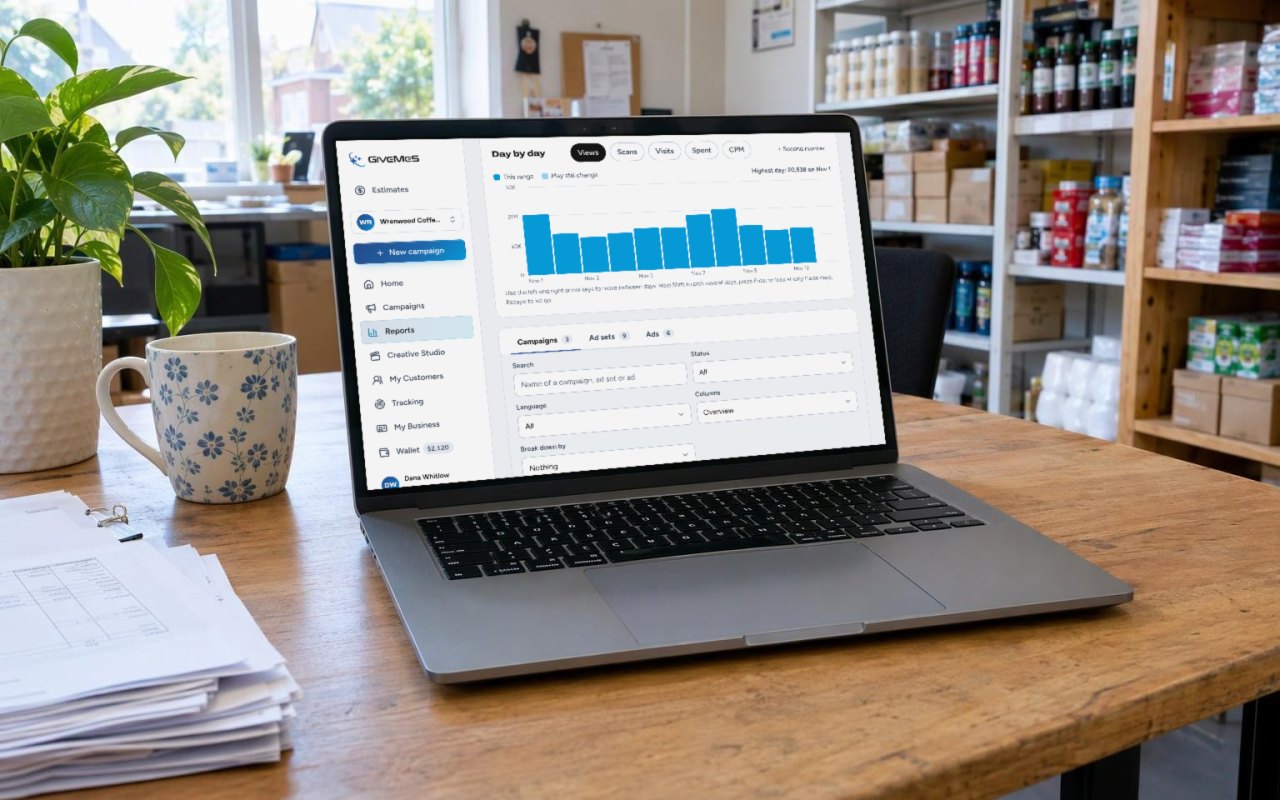
Day by day
Watch a campaign as it runs.
A chart of each day, for views, scans, visits or spend.
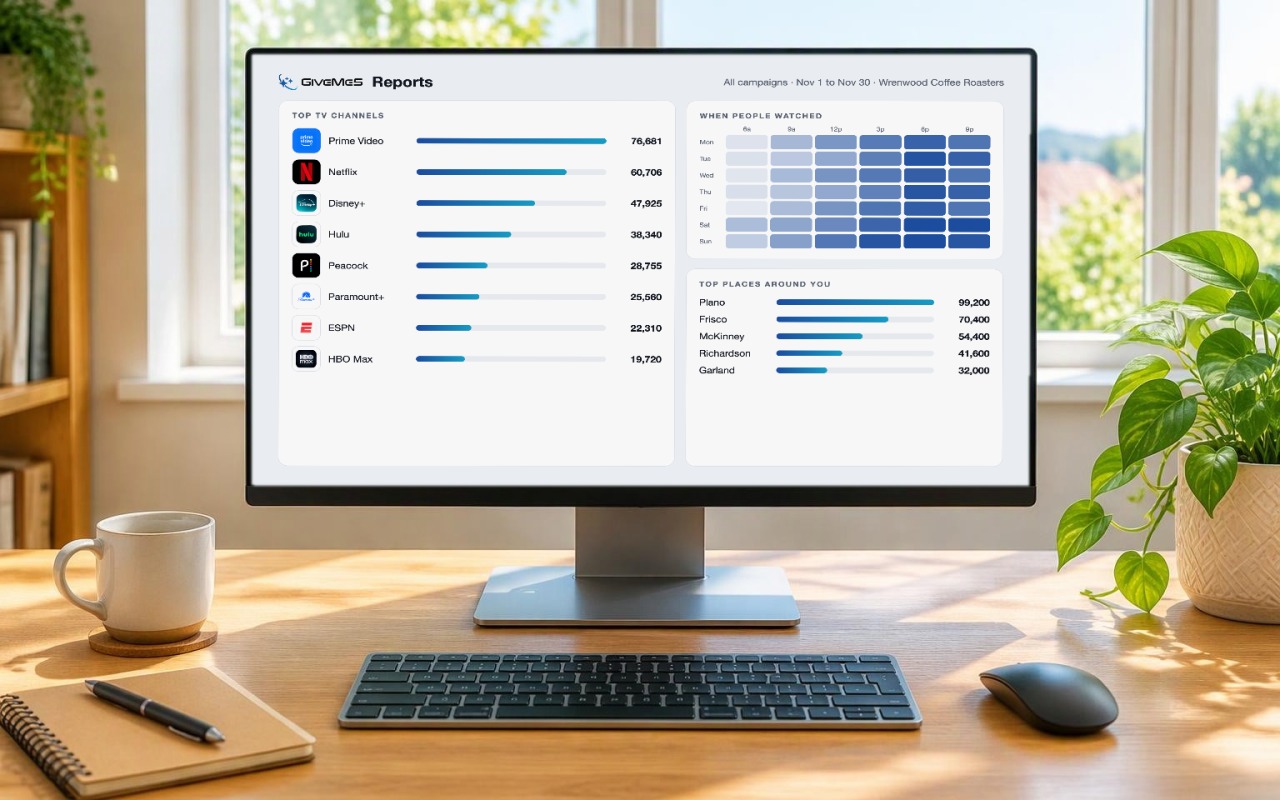
Where and when
Which TV channels, which hours, which places.
Places by TV market, state, city or ZIP code.
Compare
Compare one ad with another.
Three tabs
Campaigns, ad sets and ads.
How much was watched
A quarter, half, three quarters, the end.
One code per ad
See which ad brought the scans.
When a campaign ends
A report you can keep, and forward.
The final report is emailed to your team as a PDF.
Questions about reports
What is not counted?
Reports do not count how many different homes saw your ad, calls made from the number on the TV screen, or the age and gender of viewers.
Do I need the tag on my website?
The tag on your website is needed only to count visits and leads.
How long a period can a report cover?
A report can cover up to 366 days.
No subscription. A campaign in your area starts at $50 a week.